Delivery Status Report
Reports are vital as they assist the Administrators/Managers/Operators in gathering information that will assist them in better managing their Drivers and Delivery services.
By understanding the information that the system provides, Administrators/Managers/Operators can make the necessary operational changes that will improve the customer’s experience.
From the driver station, you will be able to log in and view all reports.
Follow the steps below:
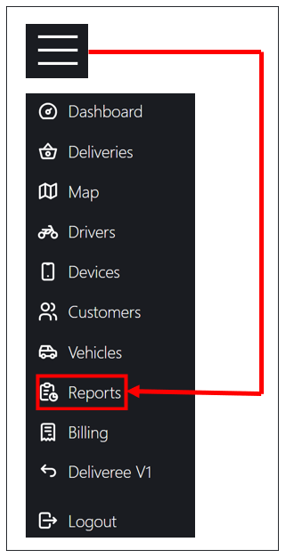
Click the menu on the upper left-hand side of the screen.

From the menu select REPORTS.
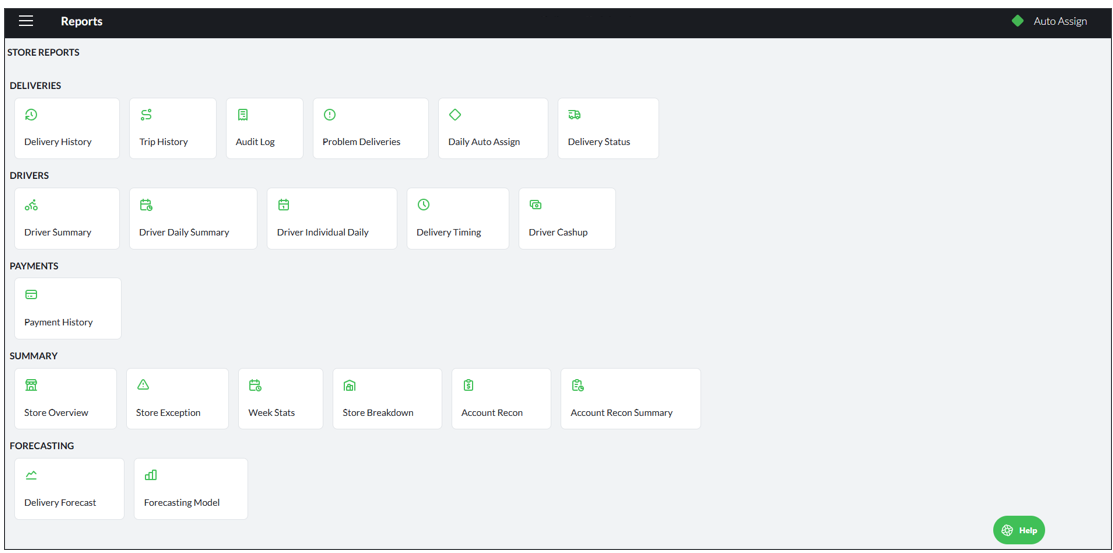
There are five report categories on Deliveree:
- Deliveries reports
- Driver Reports
- Payments Reports
- Summary Reports
- Forecasting
Click Delivery Status:
The operator/manager can then filter or search on a start and end date range.
This allows the operator/manager to see information for a day/week/month/year if needed.
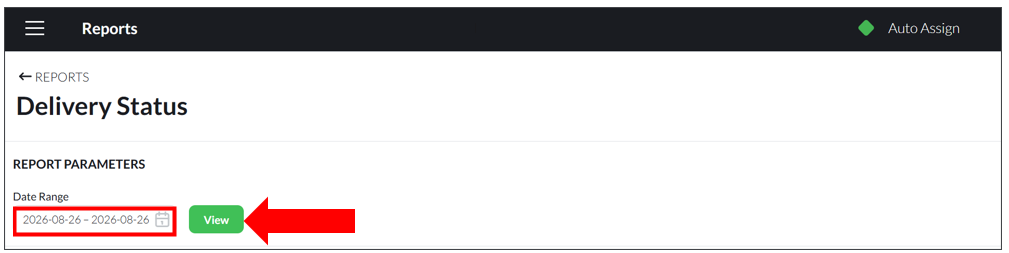
Once the operator/manager selects the date range, click 
In the example below, the report has been generated for just one day.
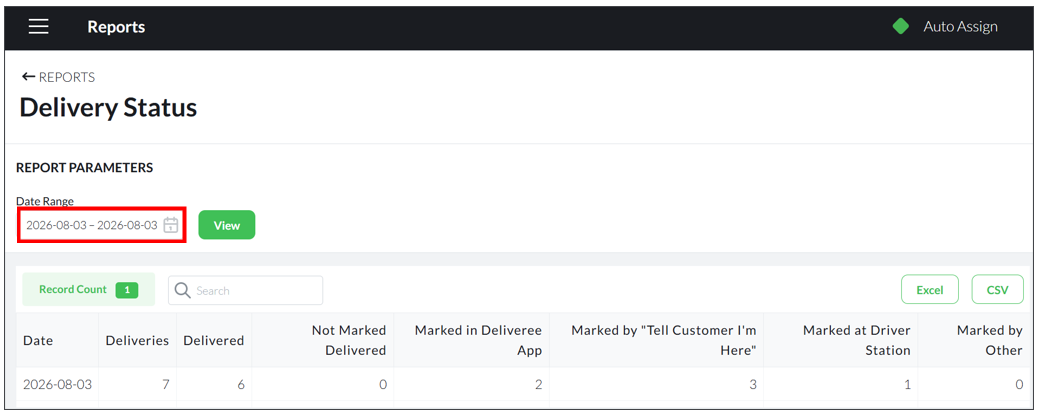
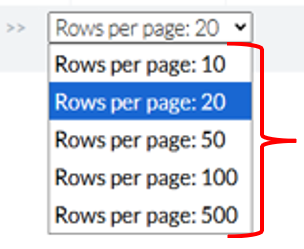
If you select to view for a longer period and you want to see more entries on one page, at the bottom left of the screen click the dropdown arrow that says “Rows per page" to see 10, 20, 50, 100 or 500.
The report column definitions are as follows:
Date: The date
- Deliveries: Total deliveries excluding orders marked as a problem
- Delivered : Total deliveries marked delivered
- Not marked delivered: Total not marked delivered
- Marked in Deliveree app: Marked manually as delivered by the driver clicking “marked delivered” in the driver app
- Marked delivered by "tell customer I'm here": The driver clicking “tell customer I’m here”
- Marked delivered at the driver station: Marked delivered from Client Admin (The Web).
- Marked delivered By Other: Marked delivered in the POS etc
For any additional training on reports, please email support@deliverytribe.co.za
Learning Material Feedback Form
We would love to hear your thoughts and suggestions so that we can improve our training material. Please follow the link and provide us with feedback:
https://form.jotform.com/210180530919551