Sim Card details are available in www.deliveree.co.za to assist stores in managing the SIM Cards that have been assigned to their store by Delivery Tribe.
From the Dashboard, at the bottom of the screen, you will see the registered SIM Cards tab. The tab also displays the number of sim cards allocated to the store.
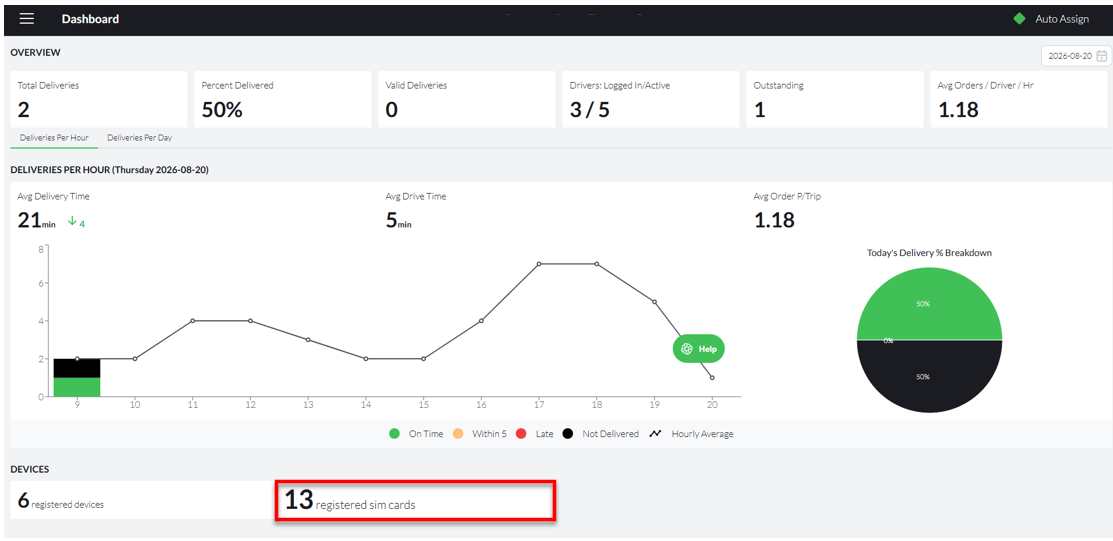
Click the tab to display more information and manage your SIM Cards.

Here you will see the details of the SIM Cards that are Assigned to your store.
In addition to this, the Delivery operator can see the following information on the system:
- The sim number
- The network type
- When the sim card was assigned to the store
- The data usage for the month
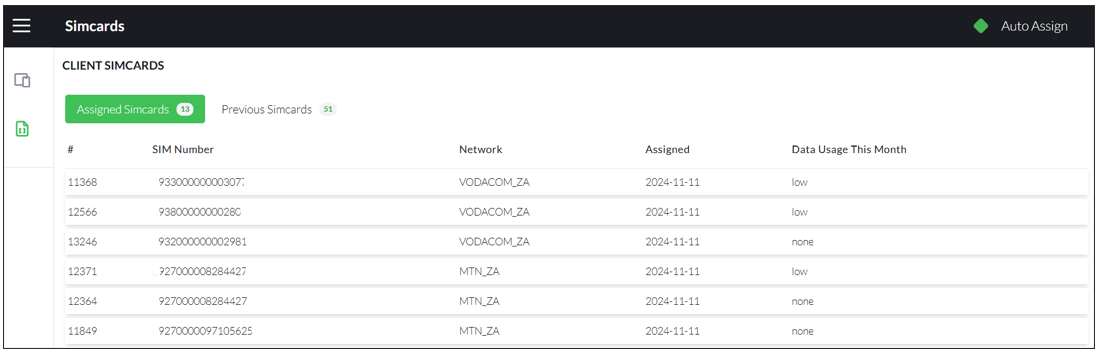
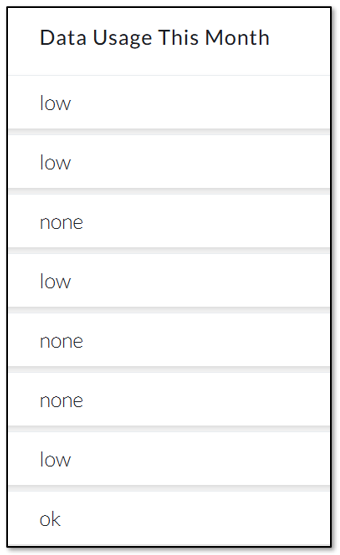
The SIM Number and the SIM card's network (MTN, Vodacom) - should help identify the SIM. Assigned, shows the date when the SIM was assigned to the store. Data usage for the month on the sim is shown as- None, High, Low, or Ok (see example below). This should help identify SIM cards that are not being used: so perhaps stolen or lost.
You will also have access to previously owned sim cards, by clicking the previous sim cards tab.
If a device (with the SIM CARD inside) has been lost/stolen, a SIM SWAP needs to be processed delivery tribe and you will need to fill out an online form using the information on the Deliveree web site.
See more information about SIM SWAPS following stolen devices here: http://support.deliverytribe.co.za/support/solutions/articles/44001918708-lost-stolen-phones-sim-procedure
For additional support, email support@deliverytribe.co.za